MARKETING AUTOMATION SOLUTIONS DEVELOPER

  • ABOUT US
    • FACEBOOK SOFTWARE

      Software to manage and take care of multiple Facebook accounts

      mkt care

      MKT Care

      MKT CARE - Auto Post, Auto comment Facebook Software

      7

      MKT Post

      Automatically post sales posts on Facebook

      MKT TikPro

      MKT TikPro

      MKT TikPro - Auto post video, auto comment livestream Tiktok

      6

      MKT Page

      MKT Page - Auto post multiple Fanpage Facebook

      MKT Viral

      MKT Viral

      MKT Viral – Auto download and edit multiple short videos across platforms

      MKT Tube

      MKT Tube

      MKT Tube- Auto Post, Auto comment Youtube Software

      10

      MKT Insta

      MKT Page - Auto Post, Auto comment Instagram Software

      9

      MKT Group

      MKT Group - Specialized Facebook Group management software

      MKT X

      MKT X

      MKT X- Auto Post, Auto comment Twitter Software

      MKT UID

      MKT UID

      MKT UID - Scan multiple UID group, UID members group,...

      5

      MKT LinkedIn

      MKT Linkedin - Marketing software on LinkedIn platform

  • DOWNLOAD

Detailed Guide: Download and Install the Content AI Software

5/5 - (2 bình chọn)

In today’s era, artificial intelligence technology is increasingly evolving to meet human needs. Understanding the desires of users, MKT Software has launched the automated content creation tool, Content AI. Below is a guide on how to download and install the Content AI software.
Download and Install the Content AI Software: Offical Guide

I. How to Download Content AI Software

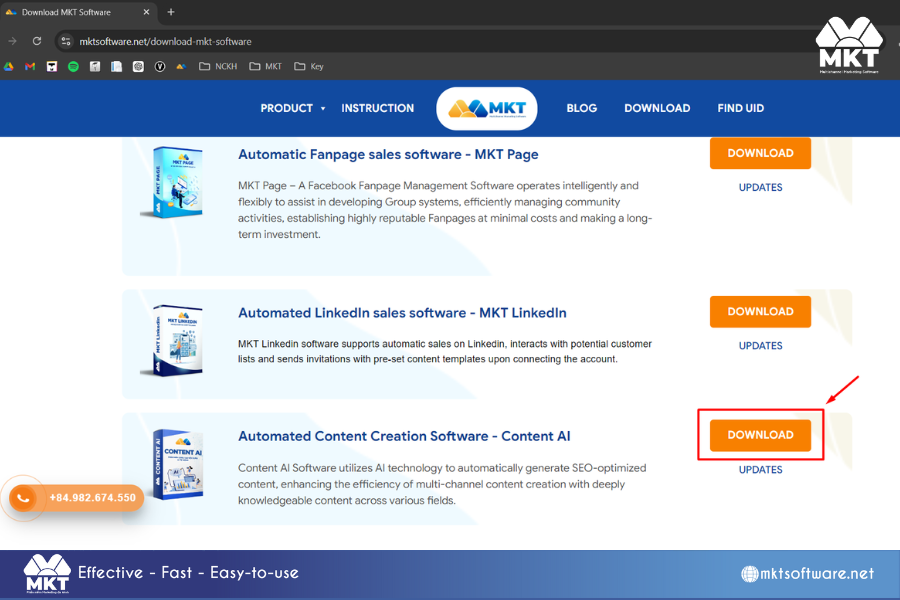
To download the Content AI software, you can use available browsers on your computer, such as Coc Coc, Google Chrome, etc. Access the link below to download the software and the latest updates.

Scroll down to find the Content AI software icon and select “Download” Once downloaded, you will have the full installation file for Content AI: contentai.rar. Next, extract the installation files using extraction applications available on your computer, such as WinRAR, 7Zip, etc.
Download and Install the Content AI Software: Offical Guide
How to Download Content AI Software

II. How to Install Content AI Software

1. Install Content AI Software

  • After extracting, you will find the installation file named content-ai-x.y.z (x.y.z represents the software’s version number).
  • Next, double-click the extracted file, and the Content AI Software Setup window will appear as shown below.
  • Click on “Next” -> “Install” -> “Finish“. The software will automatically install, and once completed, the Content AI login interface will appear.
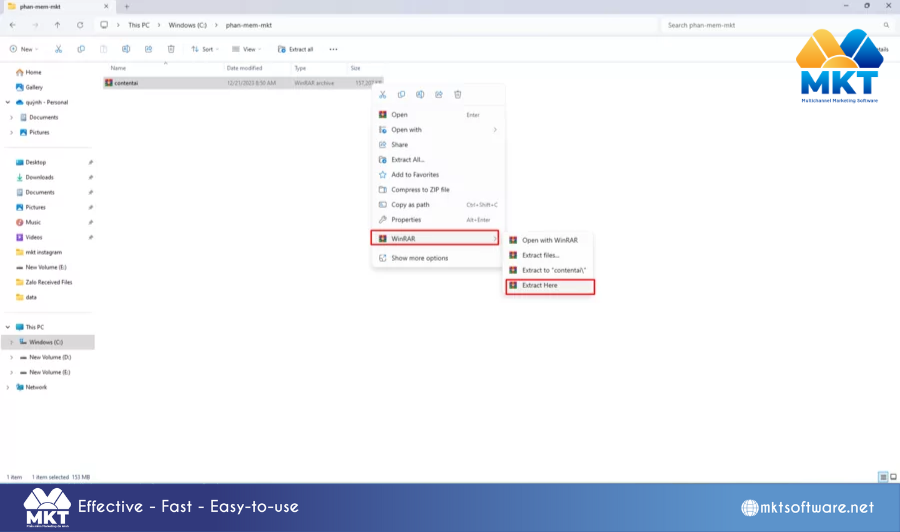
Download and Install the Content AI Software: Offical Guide
Install Content AI Software

2. Log in to MKT AI Software

Select the “Login” option, then enter your account and password to access the MKT AI software.
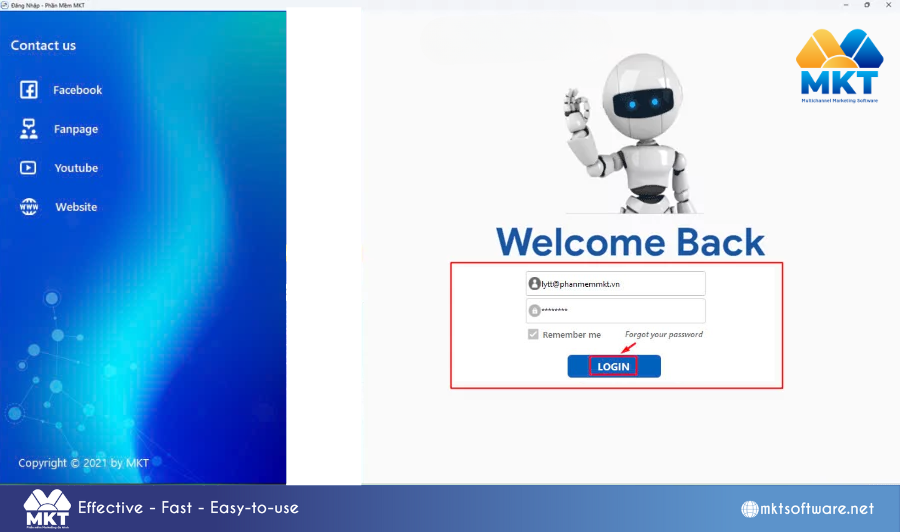
Download and Install the Content AI Software: Offical Guide
Log in to MKT AI Software

If you do not have an account, please contact customer service at the hotline: 0246.291.6668

The above guide covers the steps to download and install the Content AI software. We wish you success in your installation process!

MKT SOFTWARE COMMITMENT
+84819551862