MARKETING AUTOMATION SOLUTIONS DEVELOPER

  • ABOUT US
    • FACEBOOK SOFTWARE

      Software to manage and take care of multiple Facebook accounts

      mkt care

      MKT Care

      MKT CARE - Auto Post, Auto comment Facebook Software

      7

      MKT Post

      Automatically post sales posts on Facebook

      MKT TikPro

      MKT TikPro

      MKT TikPro - Auto post video, auto comment livestream Tiktok

      6

      MKT Page

      MKT Page - Auto post multiple Fanpage Facebook

      MKT Viral

      MKT Viral

      MKT Viral – Auto download and edit multiple short videos across platforms

      MKT Tube

      MKT Tube

      MKT Tube- Auto Post, Auto comment Youtube Software

      10

      MKT Insta

      MKT Page - Auto Post, Auto comment Instagram Software

      9

      MKT Group

      MKT Group - Specialized Facebook Group management software

      MKT X

      MKT X

      MKT X- Auto Post, Auto comment Twitter Software

      MKT UID

      MKT UID

      MKT UID - Scan multiple UID group, UID members group,...

      5

      MKT LinkedIn

      MKT Linkedin - Marketing software on LinkedIn platform

  • DOWNLOAD

How To Add And Manage Content In MKT Post Software: A Detailed Step-By-Step Guide

Rate this post

MKT Post is a powerful marketing automation tool that simplifies social media management. In this guide on How to Add and Manage Content in MKT Post Software you’ll discover how to easily organize and publish content, helping you streamline your marketing campaigns across platforms like Facebook with minimal effort.

I. MKT Post software features

Here is all functions of MKT Post Software:
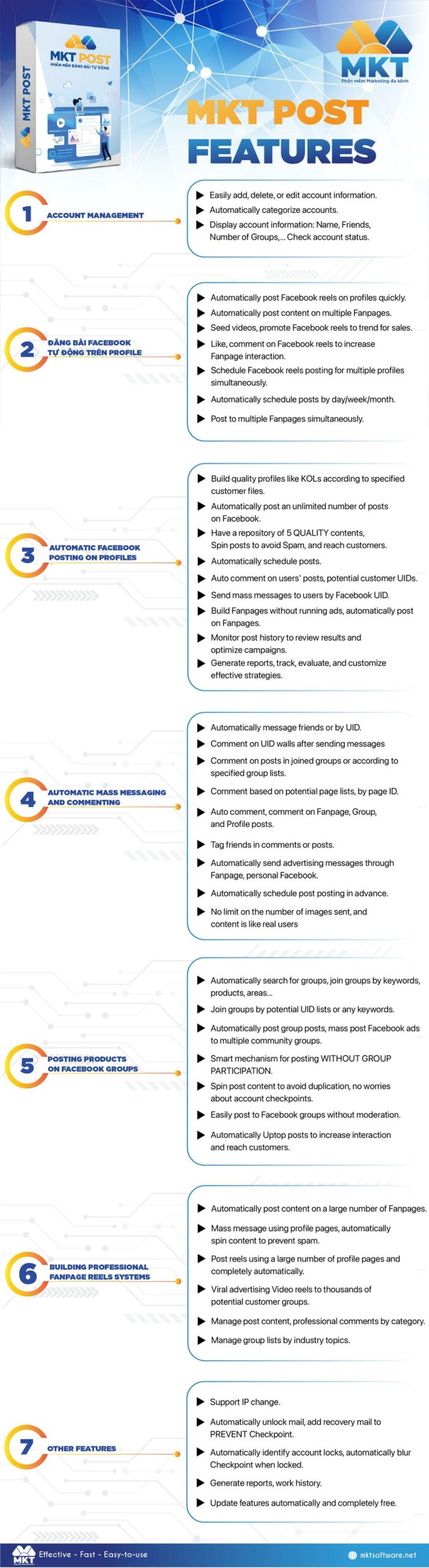
Funtion of MKT Post
Funtion of MKT Post

II. How to add content in MKT Post software

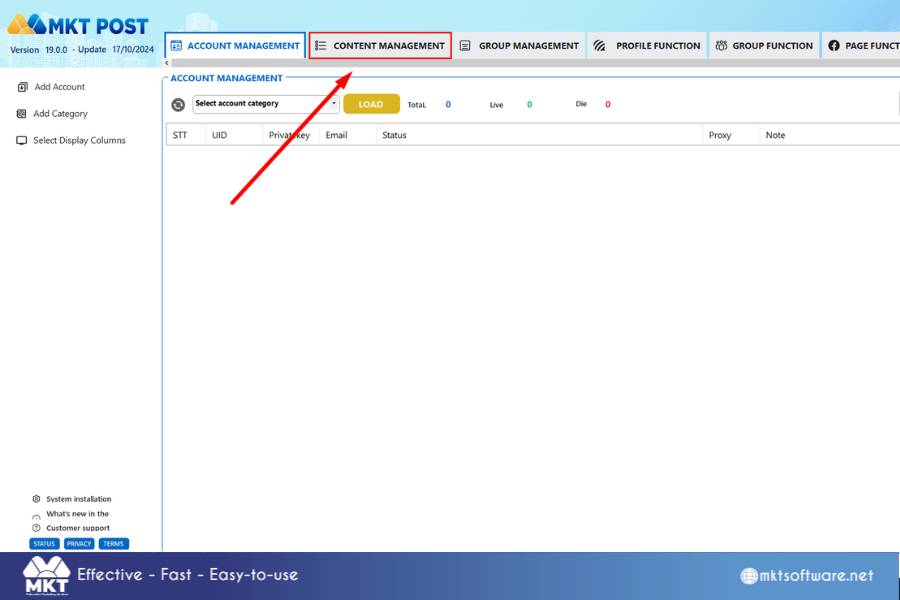
  • Step 1: Click on “Content Management”
Content Management Function
  • Step 2: Add Category, then you write the Category Name you want. And then select the (+) icon to successfully add the folder to the software
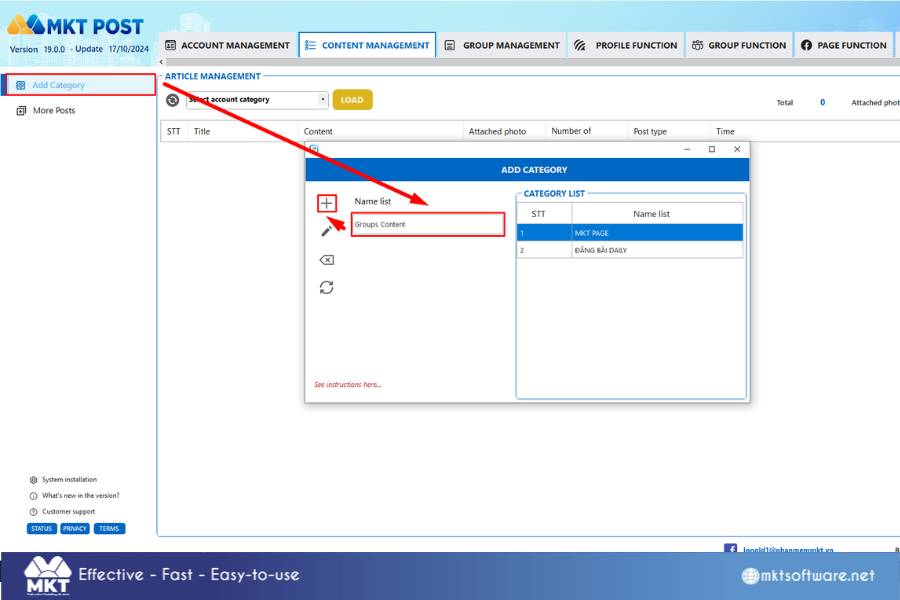
Add Category
Add Category
  • Step 3: Select  Add Content Choose the Category
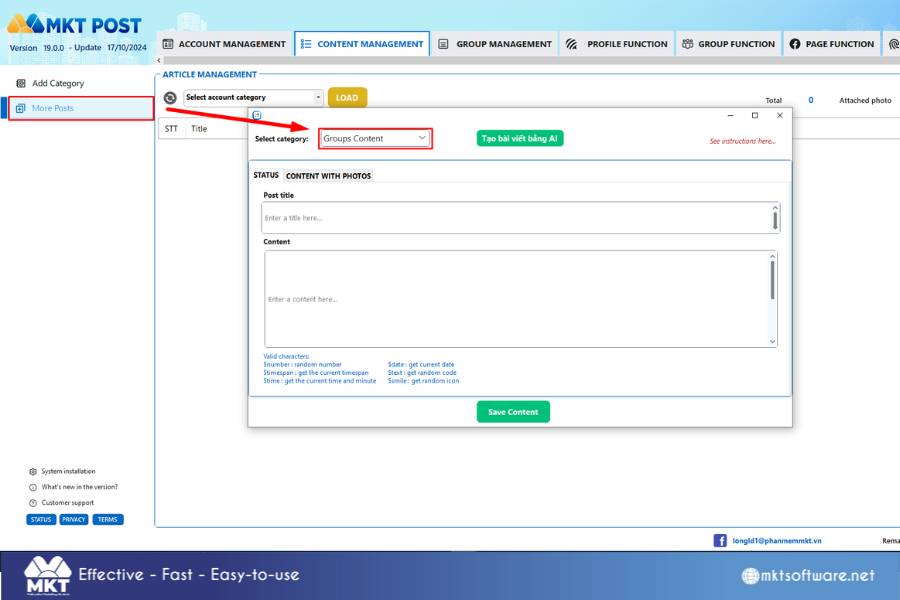
Choose category to add content
  • Step 4: You can add 2 types of content. One is status form. The other is content with images.
    Now you Add content.
    Click on Select photo/video to navigate the photo path.
    After creating the article, select Save Content to successfully add the article to the software.
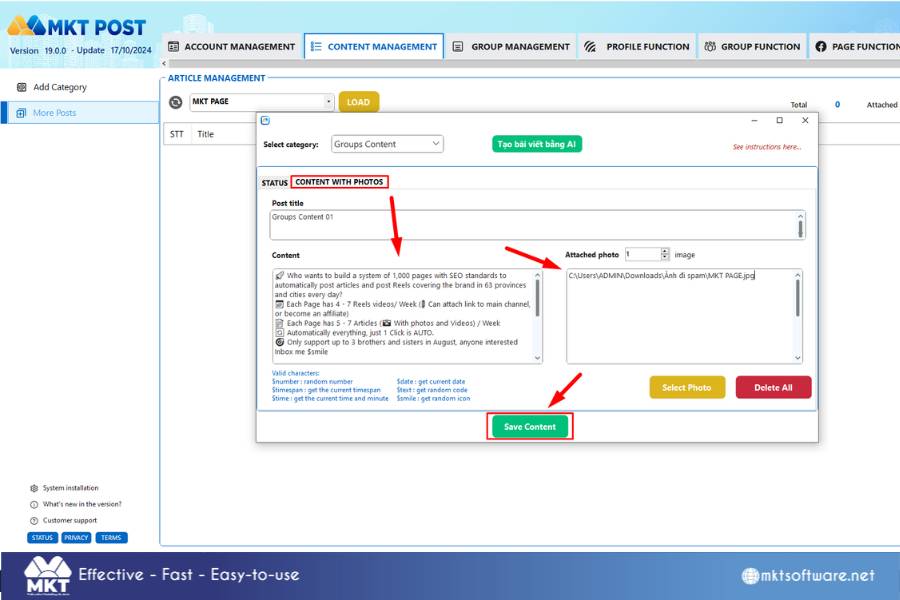
Final Step
Final Step


In this article, I have guide you how to add content in MKT Post Software. Wish you success!

Contact Me:
► Fanpage Facebook: MKT Software – Auto Marketing Tool


MKT SOFTWARE COMMITMENT
+84819551862