I. Introduction Warm Up Instagram Accounts
Warming up Instagram accounts is a critical step before executing any automation-based marketing strategy. Whether you are managing one or multiple accounts, improper usage can result in flags, bans, or shadowbanning by Instagram. In this guide, we will show you how to properly warm up multiple Instagram accounts using automation software, designed to mimic human activity and reduce risk.
II. Why Warming Up Instagram?
Instagram’s algorithms are designed to detect and penalize robotic behavior. If a new account performs actions too quickly or too frequently without a history of natural interactions, it becomes highly suspicious. Warming up is the process of gradually building activity on the account to appear more human, more trustworthy, and ready for further engagement strategies such as posting, messaging, or outreach.
Step 1: Use an Account Management System
A reliable automation tool is essential. It should offer features that allow you to:
- Add and manage unlimited Instagram accounts in one platform.
- Store login cookies or 2FA codes to bypass constant email or phone verifications.
- Assign a separate proxy to each Instagram account to ensure every account uses a unique IP address. This prevents detection by Instagram’s security systems.
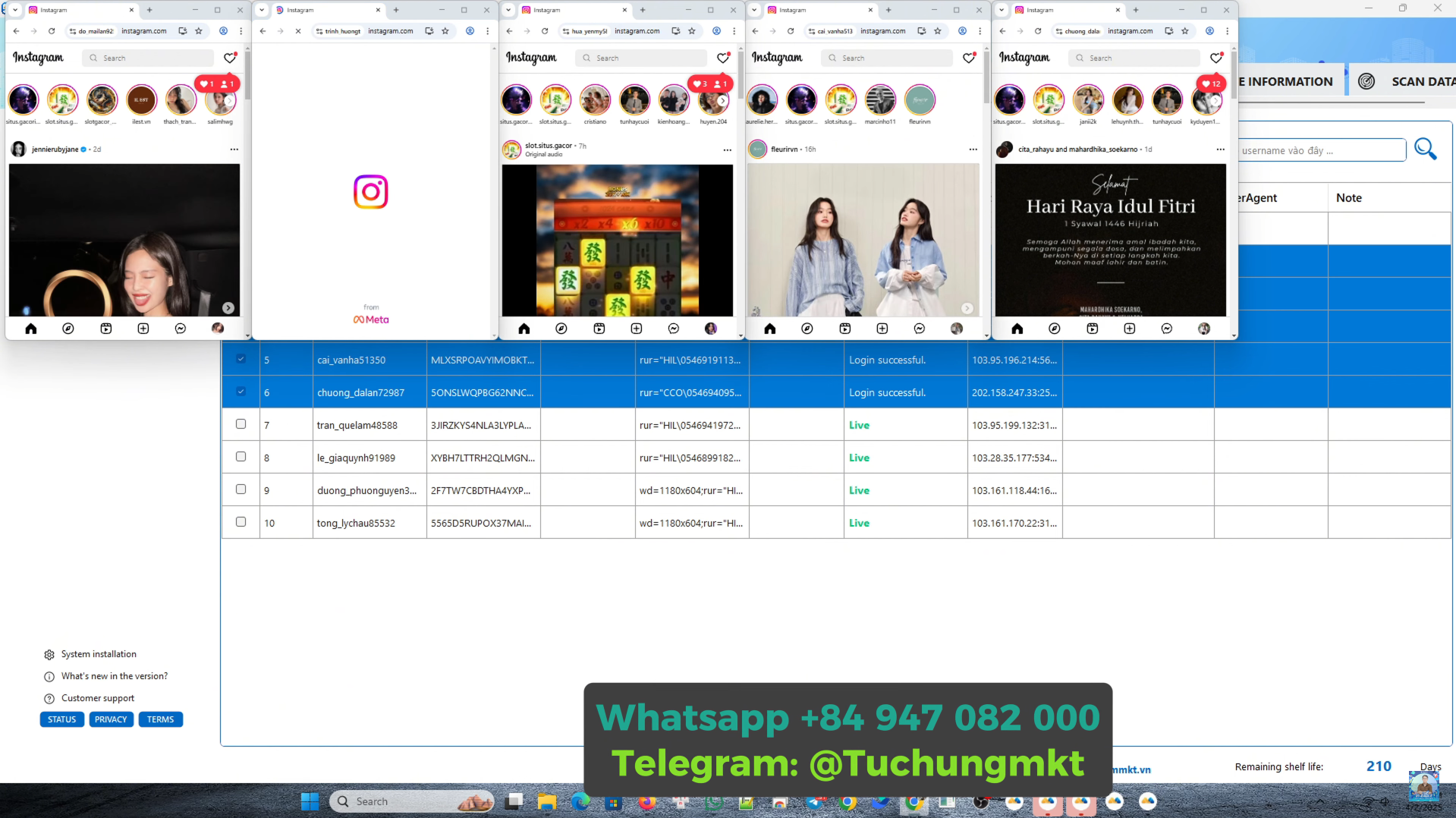
These features simulate the conditions of real, independent users using different devices.
Step 2: Build a Custom Warm-Up Interaction Script
Once the accounts are connected, the next step is to create an interaction script that mimics natural user behavior. A good warm-up script should include:
- Scrolling the feed for a defined time period (typically 30 to 60 seconds).
- Watching Instagram stories.
- Liking posts during scrolling sessions.
- Following suggested accounts or interacting with content from targeted profiles.
- Interacting with posts based on specific keywords (e.g., “crypto,” “fitness,” “travel”) to simulate interest-based activity.
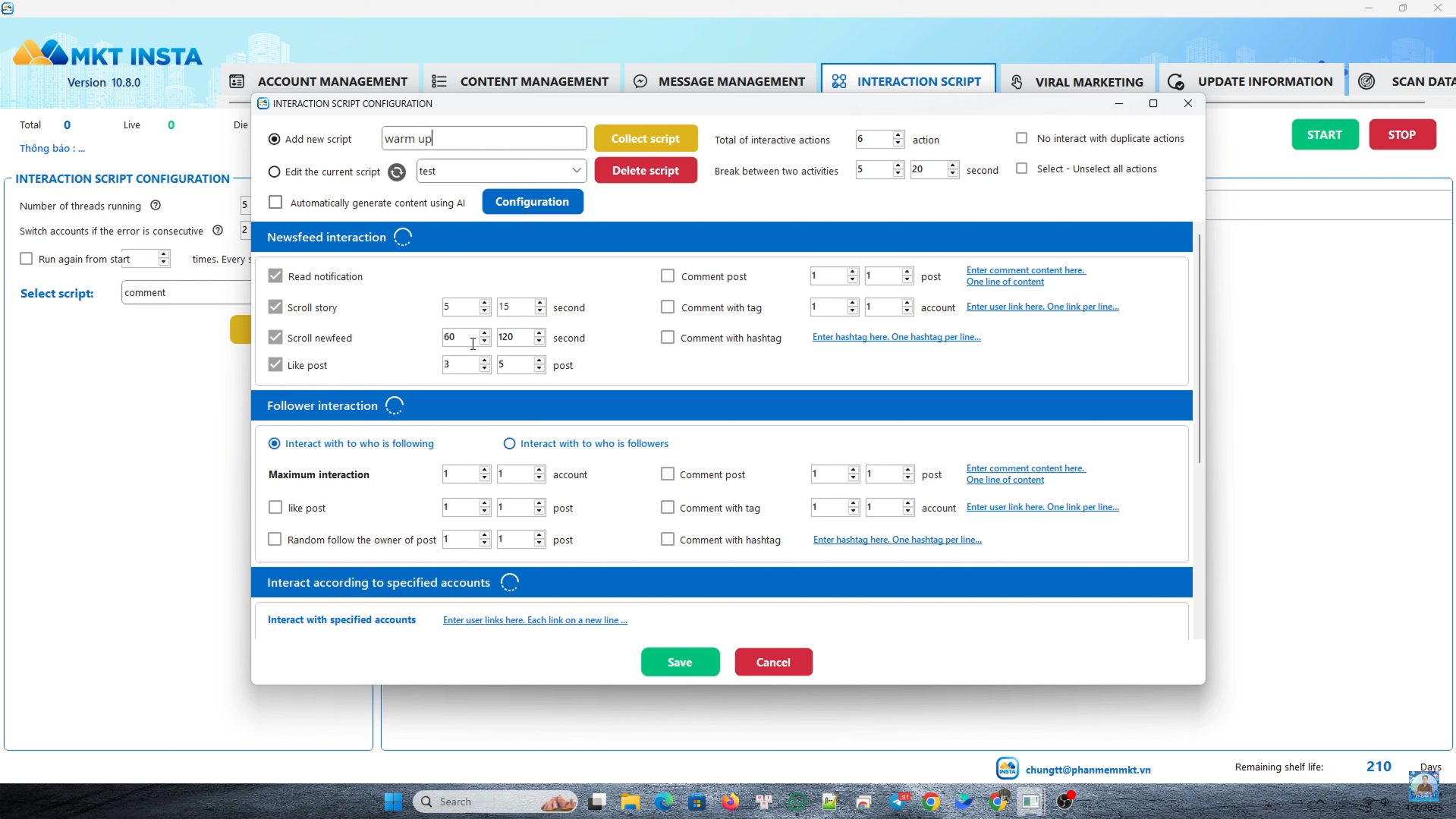
By engaging in these behaviors, the account begins to build a trust score with Instagram’s algorithm, making it appear more legitimate.
Step 3: Configure and Execute the Warm-Up Script
After the script is prepared, proceed with:
- Setting the number of actions per day or per session.
- Choosing which Instagram accounts will run the script.
- Starting the script via the automation dashboard.
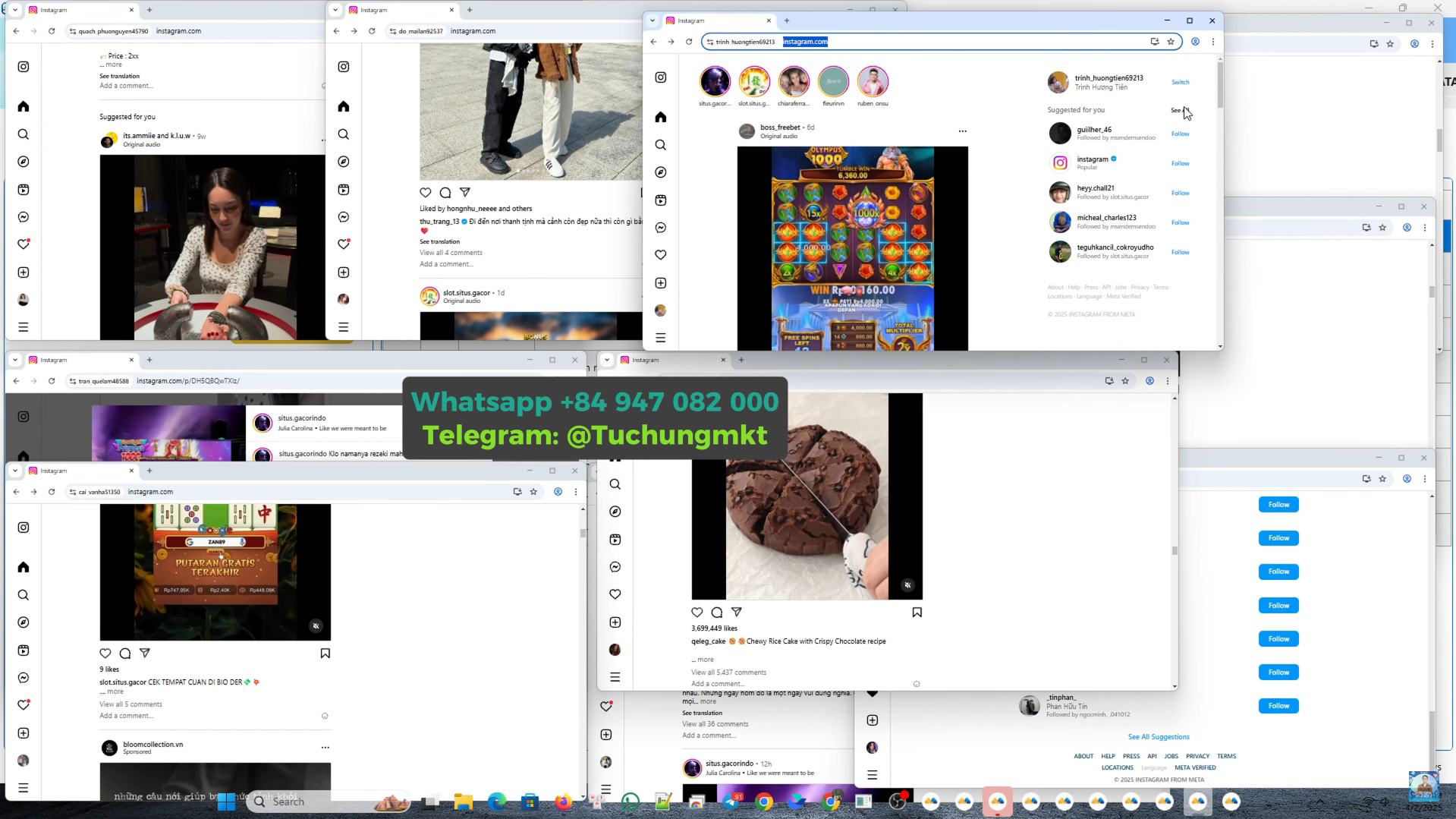
The software will launch a virtual browser session for each account and perform the programmed actions exactly as configured, simulating real human usage patterns.
III. Video Tutorial – How To Properly Warm Up Instagram Accounts Using Automation Tools
Want to see it in action? Watch this detailed walkthrough on how to warm up instagram accounts from start to finish:
📹 Watch here:
IV. Benefits of Warm Up Instagram Accounts Before Automation
Implementing a warm-up process brings several benefits:
- Significantly lowers the risk of account bans or security checkpoints.
- Helps establish credibility and behavioral history for the account.
- Increases the chances of better content reach and engagement when the account starts posting or messaging.
- Prepares the account for scalable growth strategies including influencer marketing, paid ads, or organic community building.
V. Need Help?
If you are new to automation or need assistance in setting up your warm-up strategy, feel free to reach out via Telegram @Tuchungmkt or connect through the WhatsApp link pinned in the video comments. Our team provides personalized support and advanced solutions for Instagram automation at scale.
👉 See more: Best Instagram DM Automation Tool to Send Bulk Messages in 2025
👉 Want to experience the software? Register now: [SIGN UP HERE]
Wishing you success.
Từ Chung MKT
- Facebook: Từ Thảy Chung
- Fanpage: Instagram Software
- Website: mktinsta.com
- YouTube:Chung Social Tools – Từ Chung MKT
- Whatsapp: (+84) 94 708 20 00 – Từ Chung MKT
- Telegram: @tuchungmkt
- TikTok: @Chung.mkt
- Telegram Community: Auto Tools Software
Support Hotline: +84 947 082 000 – +84 964 910 120 (Zalo/Phone)