I. Introduction to MKT Facebook Auto Post Tool
Managing multiple Facebook accounts and maintaining consistent content posting can be time-consuming. The MKT Facebook Auto Post Tool is designed to solve this problem. This powerful software allows you to automatically post content across hundreds or even thousands of Facebook accounts — all in just a few simple steps.
II. Key Features of the MKT Facebook Auto Post Tool
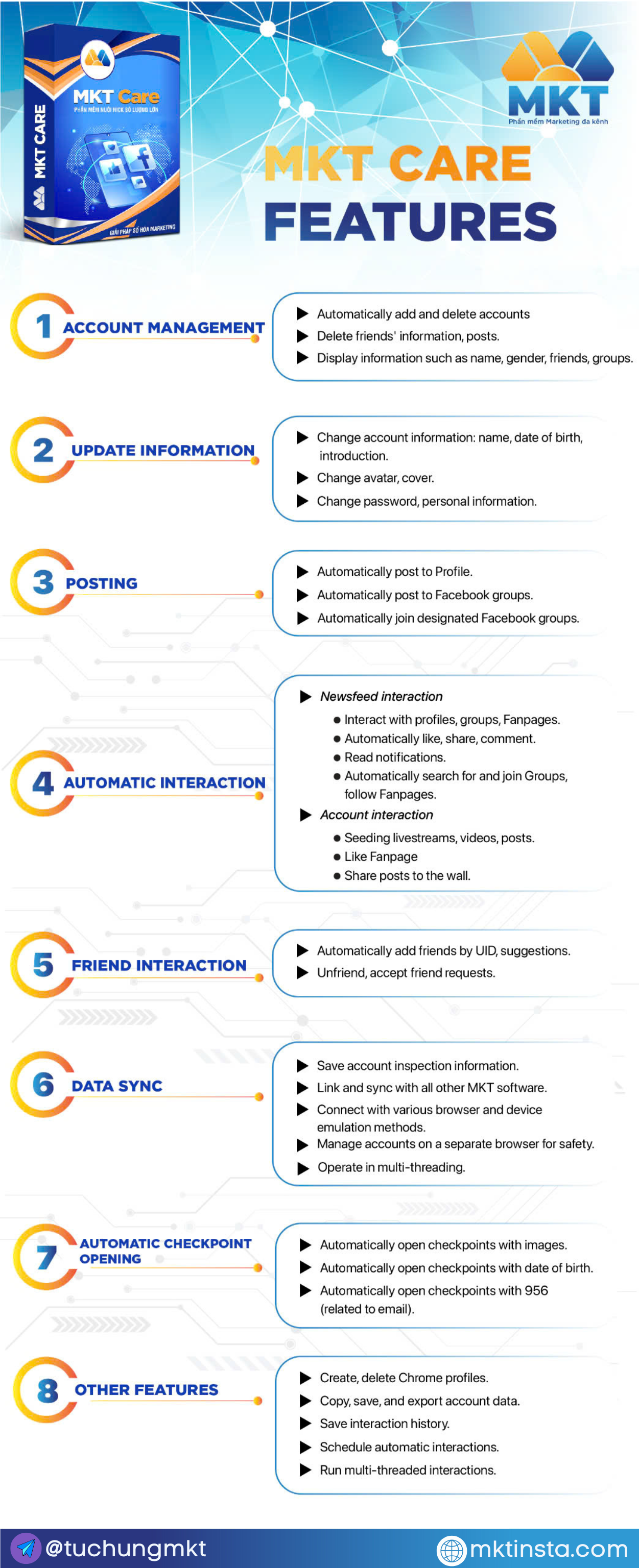
1. Multi-Account Management
- Add and manage multiple Facebook accounts from one central interface.
- Supports login via embedded browser with proxy integration.
- Handle more than 1,000 accounts effortlessly.
2. Content Management
- Easily create and manage content with text, images, or videos.
- Organize content into folders for better tracking.
- Reuse or repurpose posts from other sources if needed.
3. Auto Post Functionality
- Select “Post on Personal Timeline” to schedule content.
- Configure settings like thread count, posting interval, and account selection.
- Support tagging friends or adding comments after posting.
4. Background Execution
- The software runs using a hidden browser to mimic real user behavior.
- Monitor posting progress in real time.
- View post history and export links to track performance.
III. Practical Use Cases
1. Save Time and Resources
- Eliminate the need to manually log in and post on each account.
- Focus on strategy while the tool handles execution.
2. Run Large-Scale Campaigns
- Ideal for marketing agencies or teams managing multiple clients.
- Post simultaneously across hundreds of profiles.
3. Maintain Consistent Online Presence
- Keep your Facebook profiles active with scheduled and rotating content.
- Drive engagement and visibility for your personal or business brands.
IV. How to Use the Tool
1. Open the software and go to Account Management to log in to your Facebook accounts.
2. Move to Content Management to create or upload your post content.
3. Go to Post Function > select “Post on Personal Timeline.”
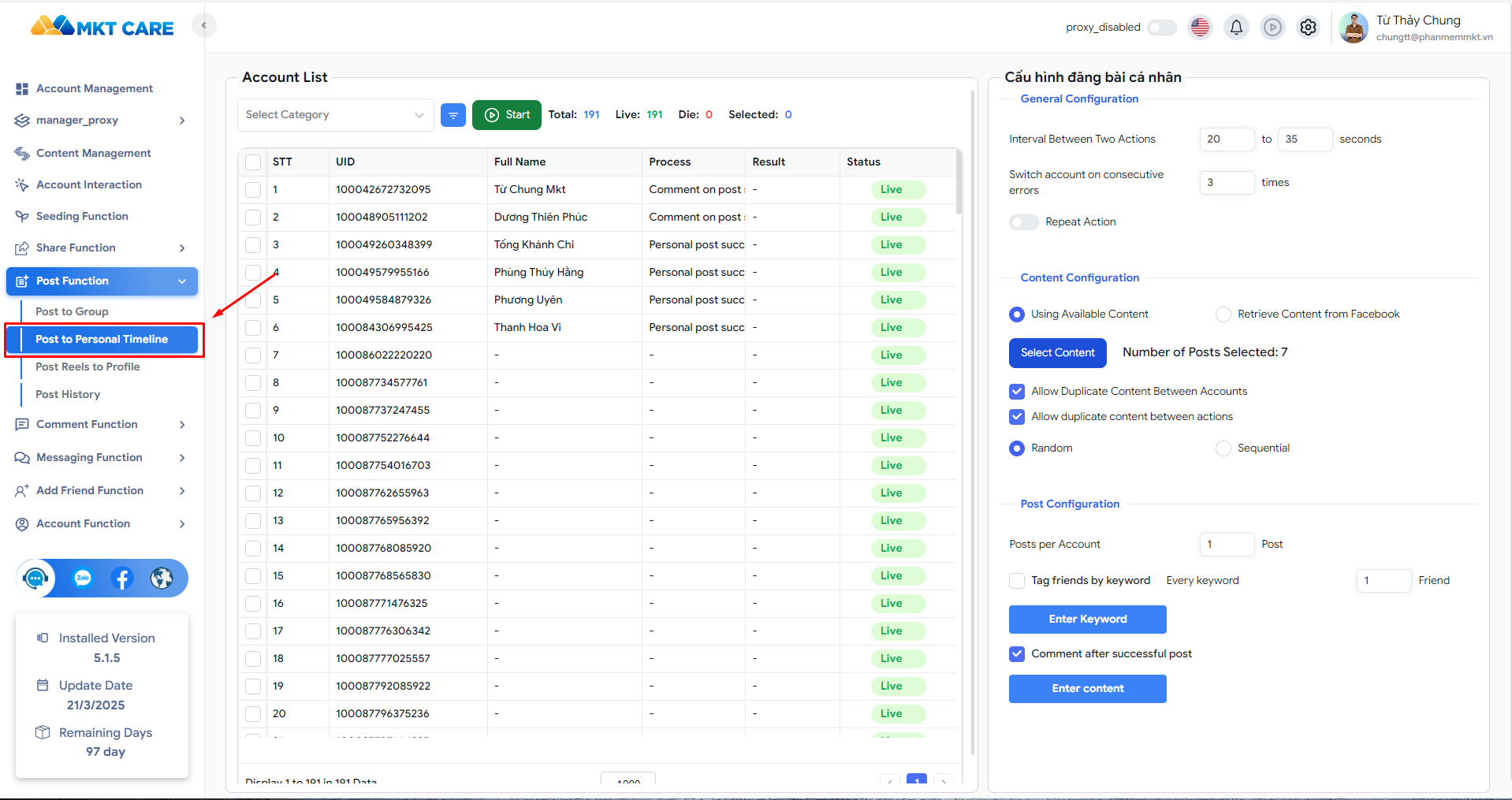
4. Choose the accounts you want to use.
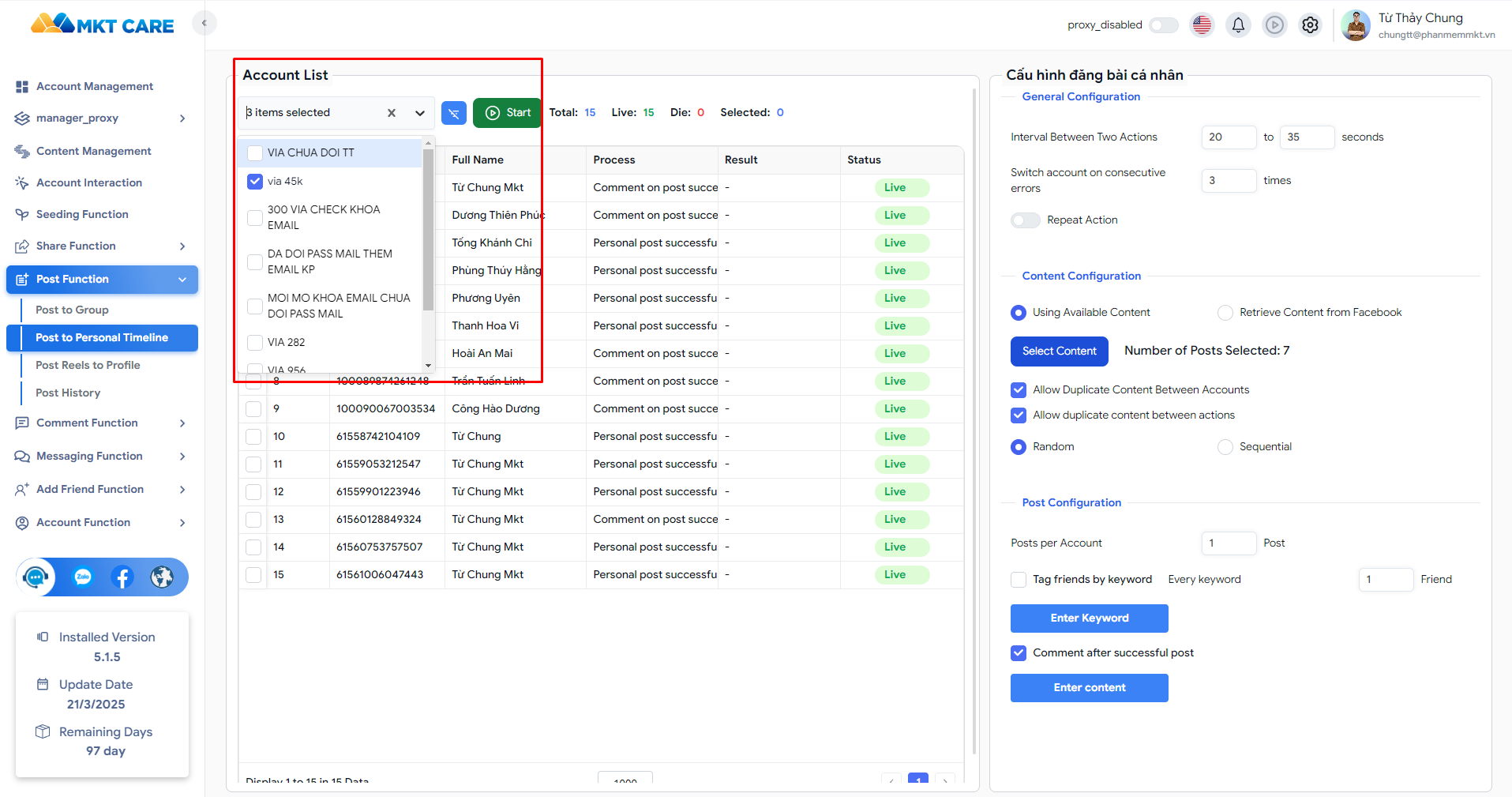
5. Set the number of threads and break time between posts.
6. Select your content, tag friends (optional), and set post-commenting preferences.
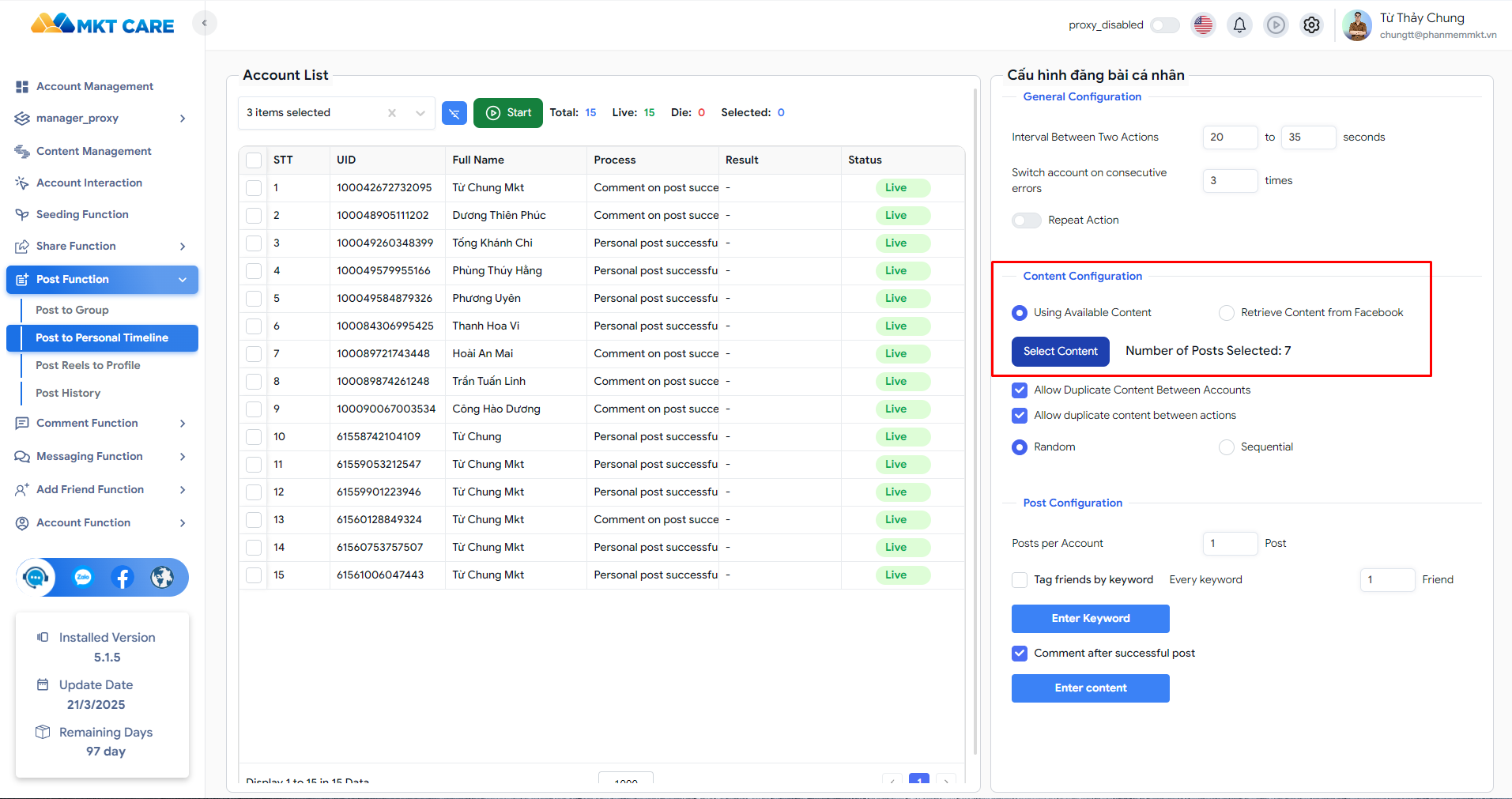
7. Press Start — the software handles the rest in the background.
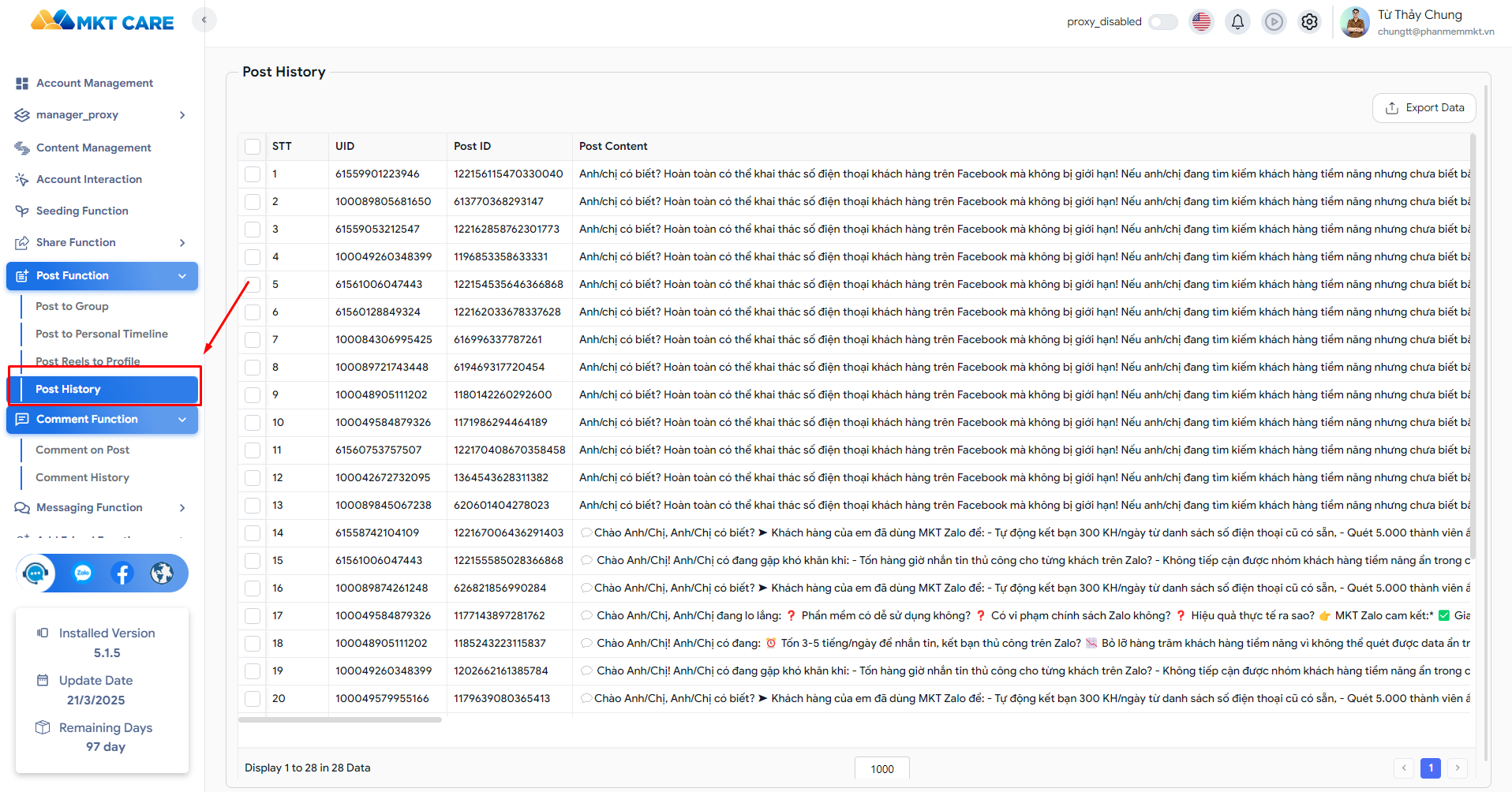
8. Check Post History to monitor status and export links.
V. Conclusion
The MKT Facebook Auto Post Tool is a powerful solution for marketers, business owners, and content creators who manage multiple Facebook accounts. By automating the posting process, the tool helps users save time, increase efficiency, and maintain an active presence on Facebook with minimal effort.
* Detailed video instructions
👉 Want to experience the software? Register now: [SIGN UP HERE]
Wishing you success.
Từ Chung MKT
- Facebook: Từ Thảy Chung
- Fanpage: Instagram Software
- Website: mktinsta.com
- YouTube:Chung Social Tools – Từ Chung MKT
- Whatsapp: (+84) 94 708 20 00 – Từ Chung MKT
- Telegram: @tuchungmkt
- TikTok: @Chung.mkt
- Telegram Community: Auto Tools Software
Support Hotline: +84 947 082 000 – +84 964 910 120 (Zalo/Phone)