MKT Post is a software for posting advertisements, selling products and optimizing 200% of your marketing campaign’s effectiveness quickly. The software posts advertisements to thousands of groups, fanpages, and personal profiles with just a click. Helping you build a Facebook Reels channel to reach millions of people in a simple way. And in this article, MKT Software will guide you on how to manage groups in MKT Post Software.
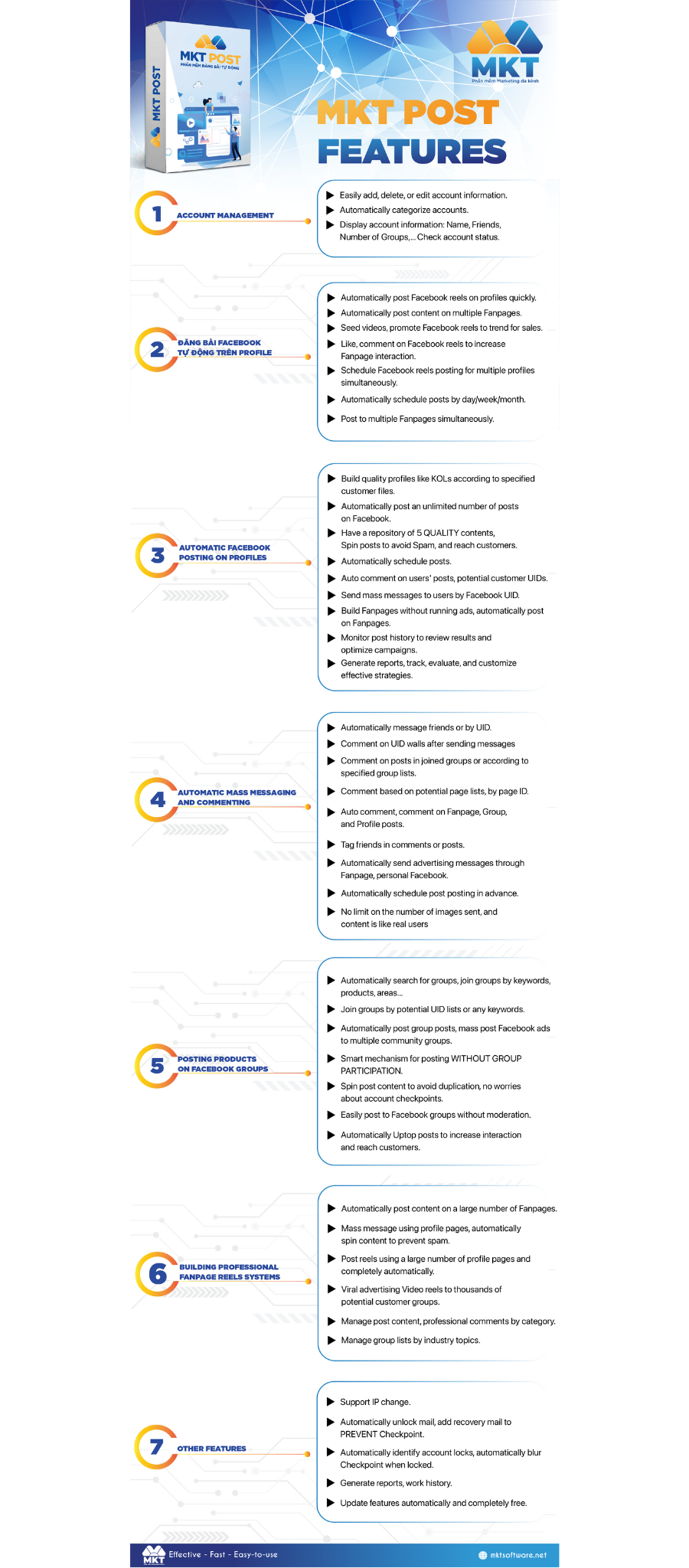
I. MKT Post Features
Below are the features of MKT Post software:
SEE MORE:
Instructions for managing Facebook accounts on MKT Post Software
II. How To Manage Groups In MKT Post
MKT Post software is a powerful tool that helps manage and automate posting and commenting on many Facebook groups, providing maximum support for marketing activities. Below are the Groups management features of MKT Post.
1. Add Category
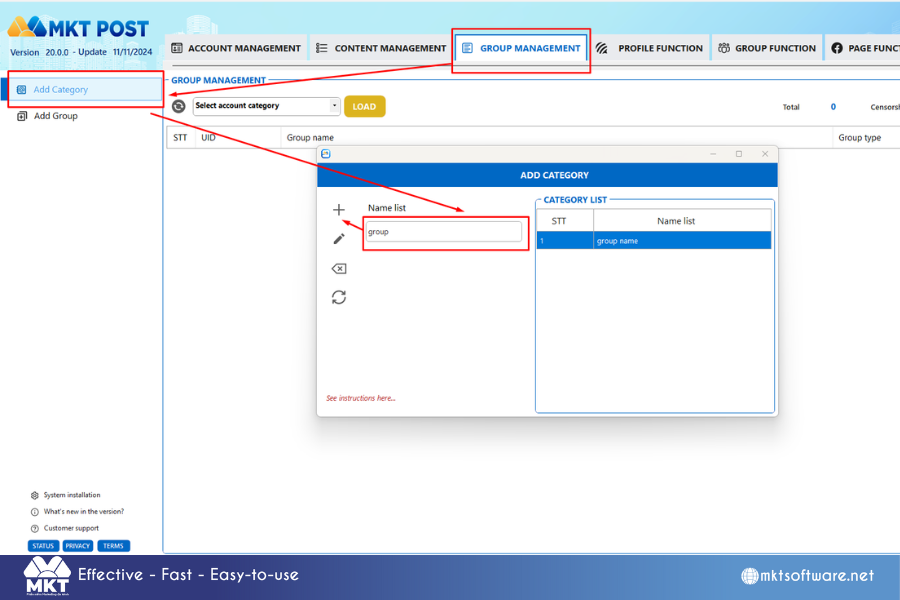
- Select Group Management
- Then select Add Category
- Enter the name of your group category
- Then click the + sign
2. Add Groups
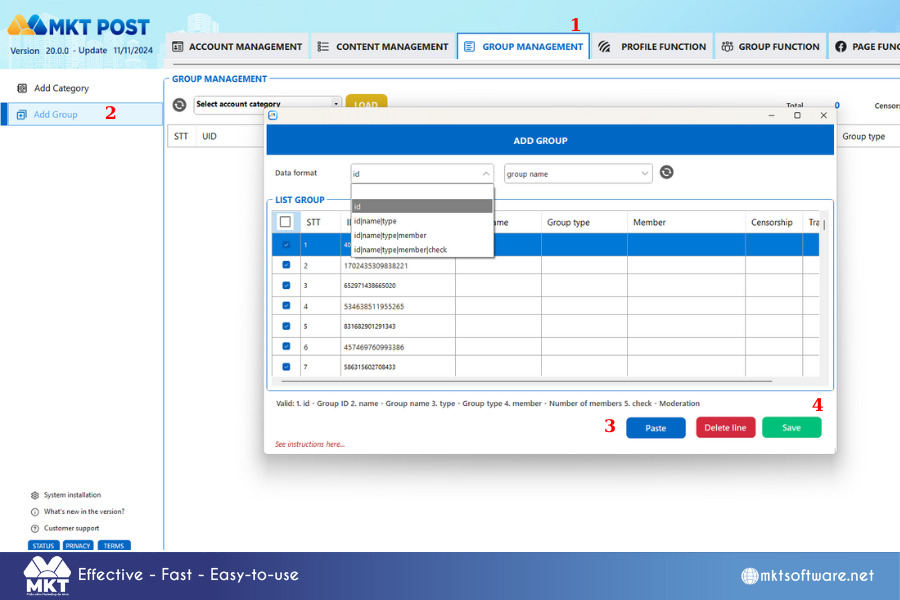
- Select Data Format: id, id|name, id|name|type, id|name|type|member
- Select the Category to save
- Copy the Group format you have -> Select Paste
- Then select Save to save the Group list
MKT Post software allows displaying information about the group as follows: ID|Group name|Group type|Number of members|Censorship. Please prepare a Text Document file about the Group list containing the above formats before importing into the software.
III. Conclusion
Knowing how to manage groups in MKT Post effectively helps you streamline your social media marketing efforts. Hope you success!
Contact me:
Telegram: @dquynhdav