Effectively managing Facebook accounts on MKT Post Software is not a simple task, especially when you have multiple accounts to monitor and manage. MKT Post is an excellent solution that helps you manage Facebook accounts easily, quickly, and effectively. Let’s with MKT Software explore how to use MKT Post software to professionally manage your Facebook accounts in this article!
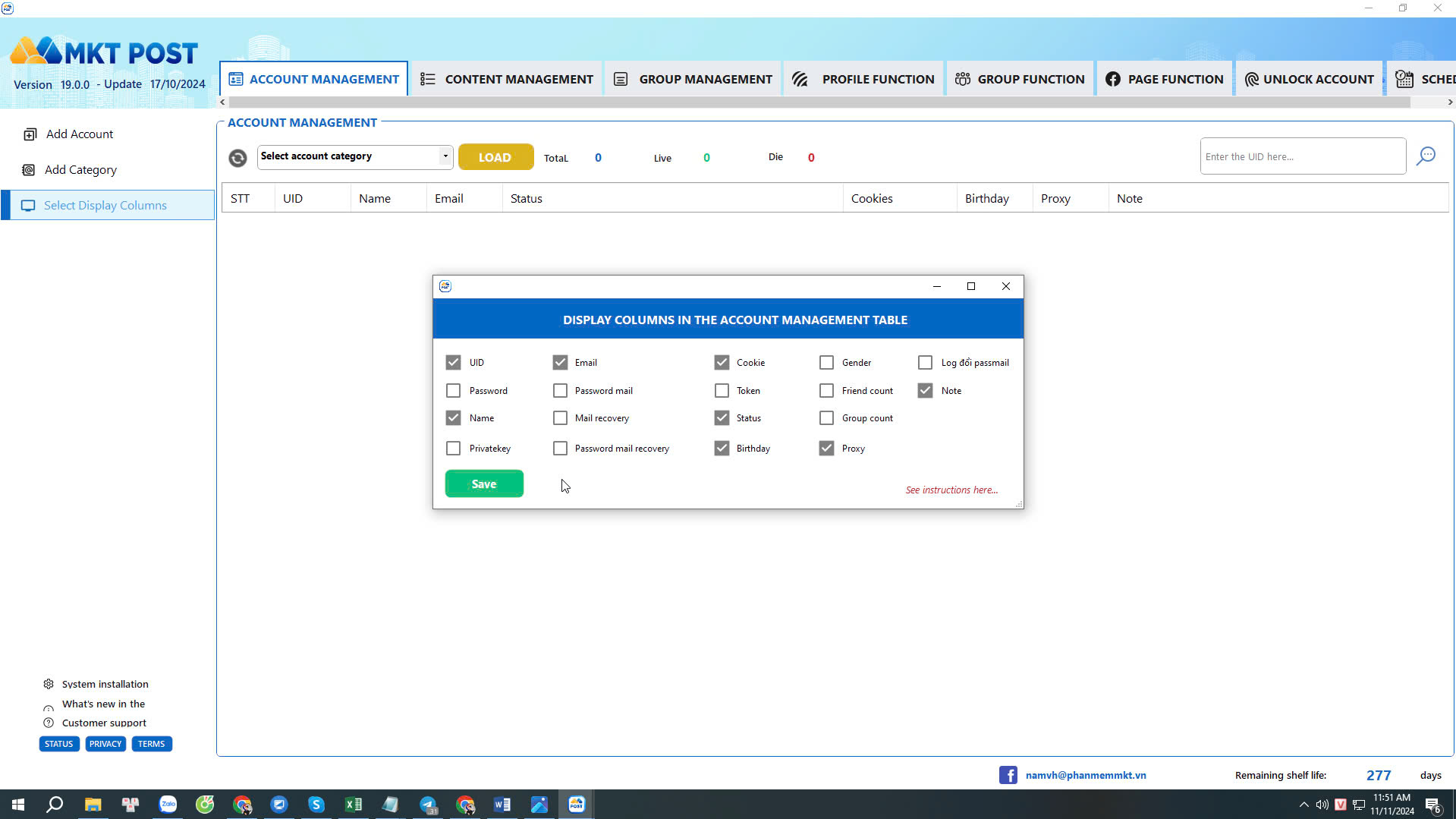
1. Choose Columns to Display Information
When managing multiple Facebook accounts on MKT Post software, choosing the right columns to display information is crucial for easy tracking and management. This can be done in two simple steps:
- To change the account display information on MKT Post, select “Account Management” and then click “Choose Display Columns“
- After that, choose the Facebook account information you want to display on the main interface of the software. Click “Save” to finalize the settings.
2. Add Account Management Categories
MKT Post allows you to create and add separate account management categories. You can categorize accounts into groups such as personal accounts, fan pages, groups, or specific marketing projects.
The purpose of account management categories is to organize Facebook accounts for different tasks. Depending on your needs, you can add multiple categories to manage your accounts within the software.
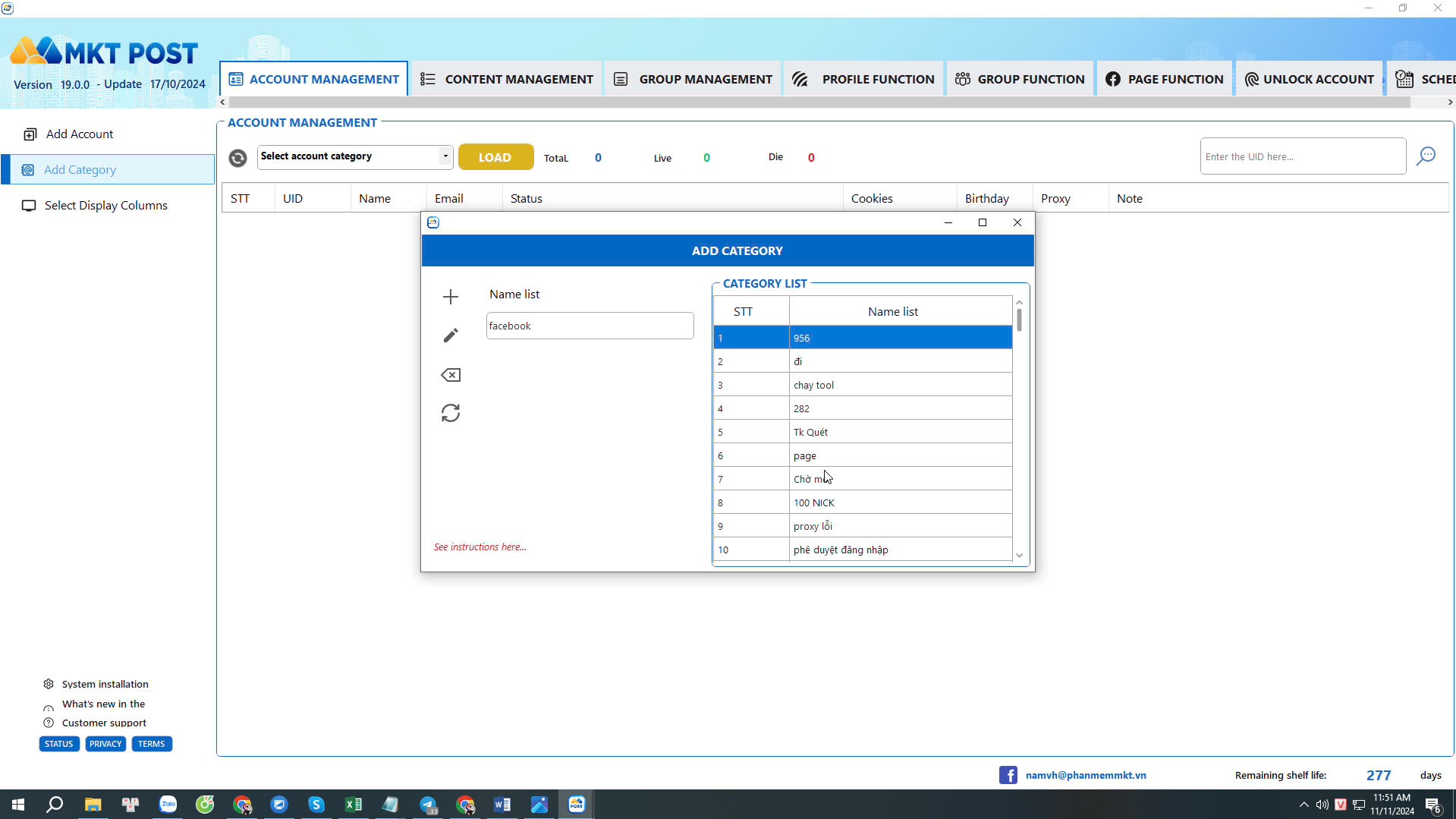
- In the Account Management interface, select “Add Category“
- Enter the category name and then click the plus icon to add the new category.
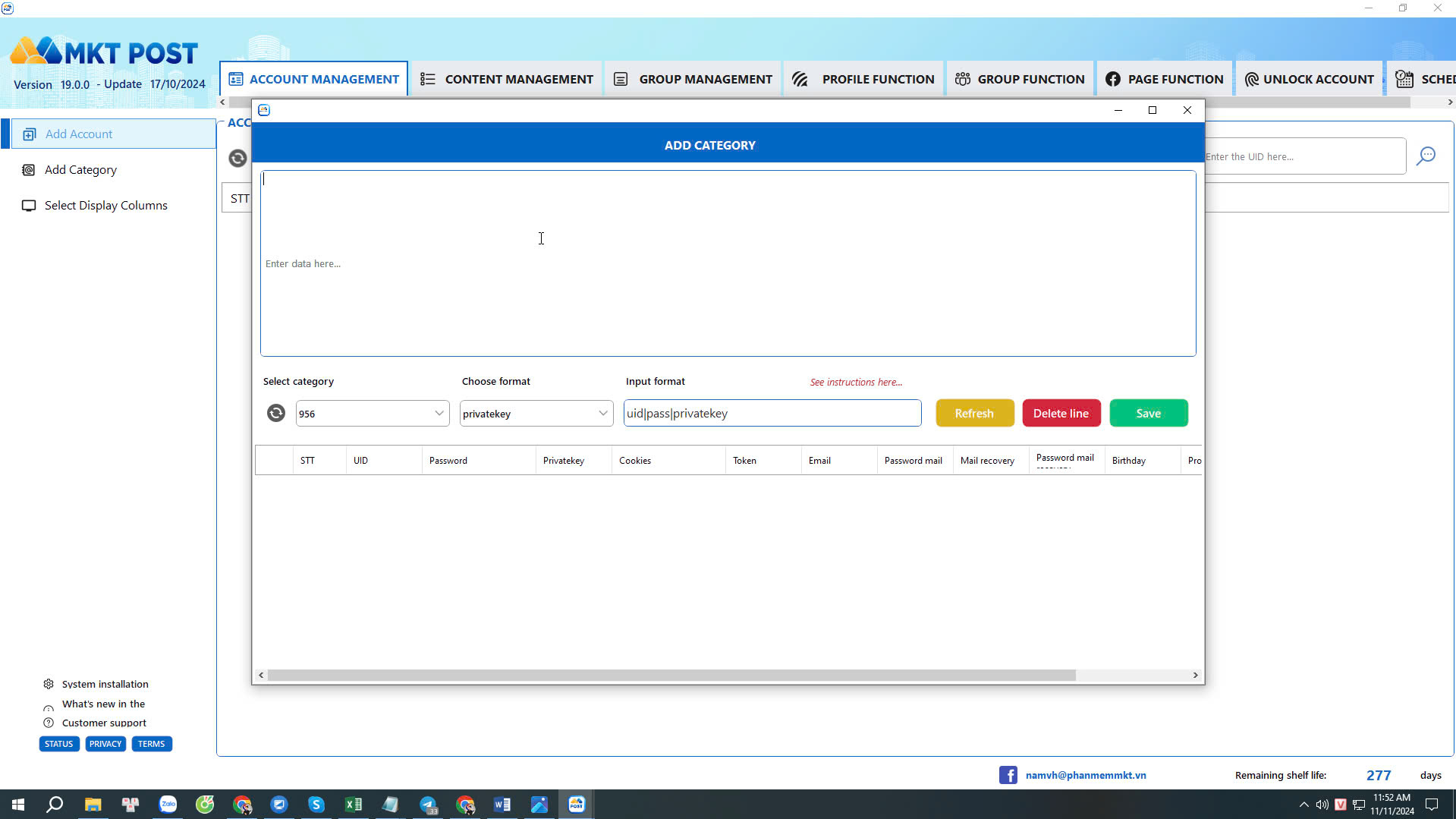
3. Add Facebook Accounts to the Software
To start using MKT Post, you need to add your Facebook account to the software. This process is straightforward: simply enter your Facebook login information into the software and then confirm the connection.
In the Account Management interface, select “Add Account” -> then paste the account format into the “Account Data” field.
- Choose the account format before saving (UID, Password, 2FA, Email, Email Password, Recovery Email, etc.). Adjust the format based on the account file you have.
- Select the account group to save it.
- Click “Save Account” to complete the process.
Conclusion
With MKT Post software, managing Facebook accounts on MKT Post Software becomes simpler than ever. We hope the information in this article helps you master this tool, increase your work efficiency, and grow strongly on the Facebook platform. If you are looking for a smart and effective solution for Facebook account management, MKT Post is the choice you can’t miss.