Guide to downloading and installing MKT Tube software compiled by MKT Software. With MKT Tube, you can increase interactions for your YouTube channel, supporting the viral spread of videos on this platform.

I. Download MKT Tube software
To download the latest installation and update of the automated YouTube interaction booster MKT Tube, please access the link below to download the installation package:
- MKT Tube software installation package download link: https://tai.phanmemmkt.vn/mkttube.rar
- MKT Tube software update download link: https://tai.phanmemmkt.vn/updatetube.rar
After downloading from the above links, you will have the MKT Tube software installation package including: mkttube.rar and updatetube.rar.
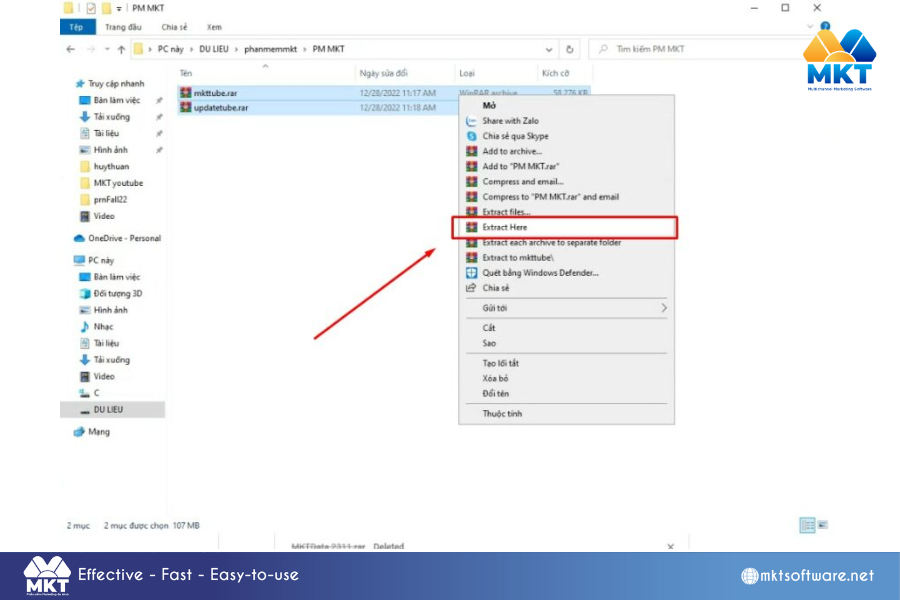
Please proceed to extract the downloaded files into the folder where you want to save them. Extract the MKT Tube installation file.
II. Guide to installing MKT Tube software
Below, MKT software will guide you through the steps to install MKT Tube software
Step 1: Install MKT Tube software
- Then copy the latest MKT-TUBE x.y.exe version into the MKT Tube folder (where x.y is the version number of MKT Tube software)
- Next, open the MKT Tube folder and Double left-click on the latest MKT Tube version to launch the software
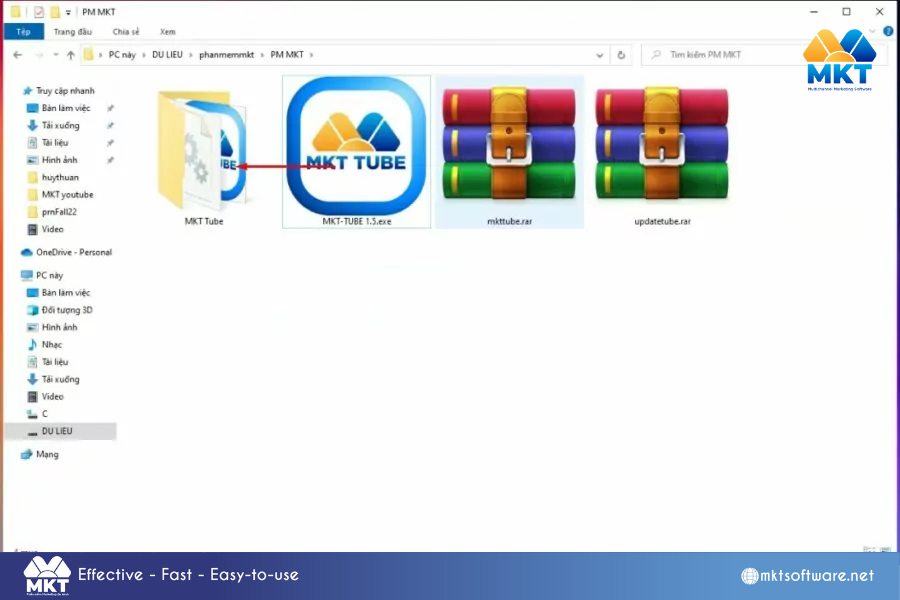
Step 2: Register to use MKT Tube software
After opening MKT Tube software, please log in with the Email account and Password you registered with MKT Software. If you don’t have a login license, please select Register -> Fill in information about Full name + Email + Phone number + Password
Next, contact MKT’s sales department via Hotline +84.982.674.550 for consultation and support to activate the software
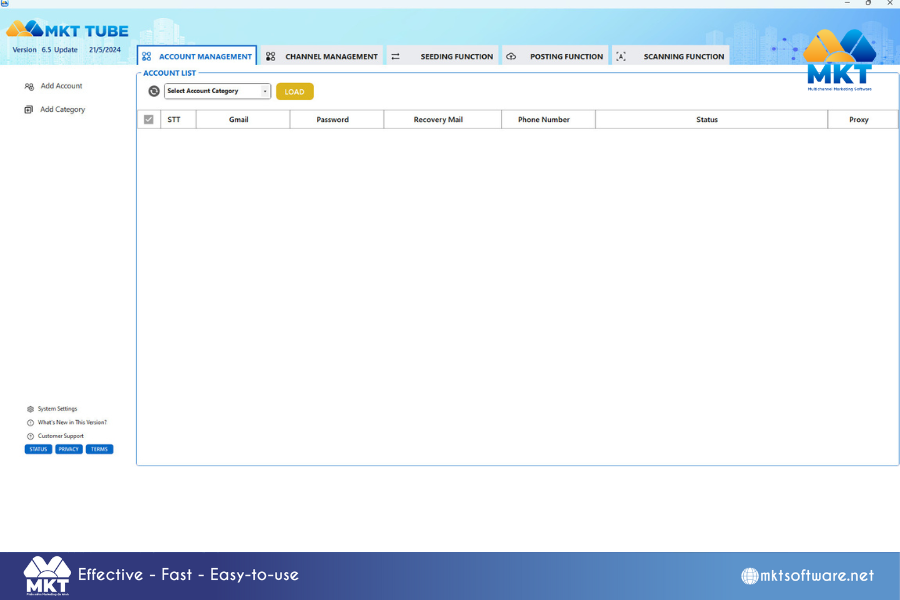
Above is the article guiding you on how to install automated interaction booster software for YouTube. We wish you success!