Auto comment live TikTok is becoming an indispensable support tool for businesses, marketers, and sales teams leveraging TikTok Live to increase engagement and optimize business performance. In this article, MKT Software will guide you on how to implement auto comment live TikTok in just 3 simple steps, updated according to 2026 trends!
I. Why does auto comment live TikTok create breakthrough growth?
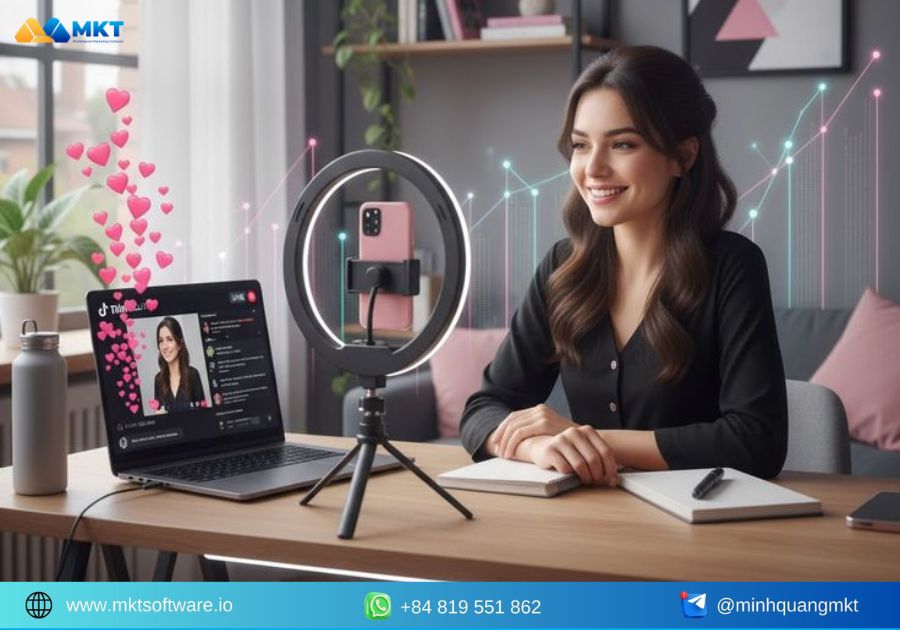
Auto comment live TikTok is not merely a tool for automatically replying to comments; in essence, it is a solution that helps businesses optimize real-time interaction with viewers. As livestreaming becomes increasingly competitive and response speed turns into a decisive factor, auto comment provides clear advantages in efficiency, user experience, and conversion potential. The reasons why auto comment live TikTok drives outstanding growth include:
- Continuous interaction throughout the livestream: Auto comment helps maintain a steady flow of comments, creating the feeling of a consistently lively live session. This encourages viewers to stay longer and supports better distribution of the livestream on TikTok.
- Instant responses to repetitive customer questions: Common questions such as pricing, ordering methods, product links, or promotions can be answered automatically in real time, ensuring no potential customer is missed.
- Reduced pressure for livestream hosts and sales teams: Instead of speaking while simultaneously reading comments, auto comment handles basic responses, allowing hosts to focus on content delivery, consultation, and more effective deal closing.
- Crowd effect and increased credibility: A livestream with frequent comment exchanges creates the impression that the product is receiving strong interest, thereby building trust and accelerating purchasing decisions.
- Optimized real-time marketing and sales efficiency: Auto comment allows important messages—such as promotions, purchase CTAs, or inbox prompts—to be repeated tactfully, increasing conversion rates without annoying viewers.
II. What causes low engagement in TikTok livestream sessions?
Despite investing time and effort into livestreaming, many businesses and sellers still face situations where live sessions receive few comments and viewers leave quickly. Common reasons for poor TikTok livestream engagement include:
- Slow responses or missed viewer comments: When customer questions are not answered promptly, viewers are likely to leave. This reduces interaction enthusiasm and quickly cools down the live session.
- Sparse comments and lack of a lively atmosphere: Livestreams with few comments often feel empty and unappealing. New viewers are also more likely to exit if they do not see active interaction.
- Livestream hosts overwhelmed by speaking and reading comments simultaneously: Handling too many questions at once can cause hosts to lose rhythm, miss potential customers, and reduce presentation quality.
- Failure to repeat important information at the right time: Information such as pricing, promotions, or ordering instructions mentioned only once may be missed by late viewers, limiting interaction and purchase opportunities.
- Lack of an interaction activation strategy throughout the live session: One-way livestreams without comment prompts or engagement touchpoints struggle to retain viewers and drive action.
III. The importance of TikTok live engagement in business operations
In the TikTok Live environment, engagement is not just a displayed metric—it is a key factor determining whether a livestream is distributed more widely. For businesses and sellers, live engagement is a powerful lever to reach customers, build trust, and drive real-time revenue. Specifically, TikTok live engagement plays an important role in the following aspects:
- Direct impact on livestream distribution: TikTok prioritizes live sessions with high levels of comments, likes, and interactions. The higher the engagement, the more likely the livestream is to be recommended to new viewers.
- Longer viewer retention: When a live session continuously features comments, Q&A, and exchanges, viewers feel involved in the conversation, increasing watch time and reducing exit rates.
- Increased credibility and purchase decisions: Livestreams with high interaction often create the impression that products are in demand, making new viewers more likely to trust and purchase faster.
- Support for deal closing and lead generation: Each interaction represents a sales opportunity. Timely comments and appropriate CTAs help increase inbox messages, orders, or link clicks.
- Measurement of real customer interest: The volume and content of comments reflect viewers’ actual needs, concerns, and behaviors, helping businesses optimize livestream scripts and sales strategies.
IV. Effective auto comment live TikTok solution – MKT TikPro
As TikTok livestreaming becomes an increasingly important sales and marketing channel, manual comment management reveals many limitations: slow responses, missed customers, and difficulty maintaining consistent interaction. This is why many businesses turn to professional auto comment live TikTok solutions that automate processes while maintaining control, efficiency, and safety during use.
1. Overview of the MKT TikPro auto comment live TikTok software
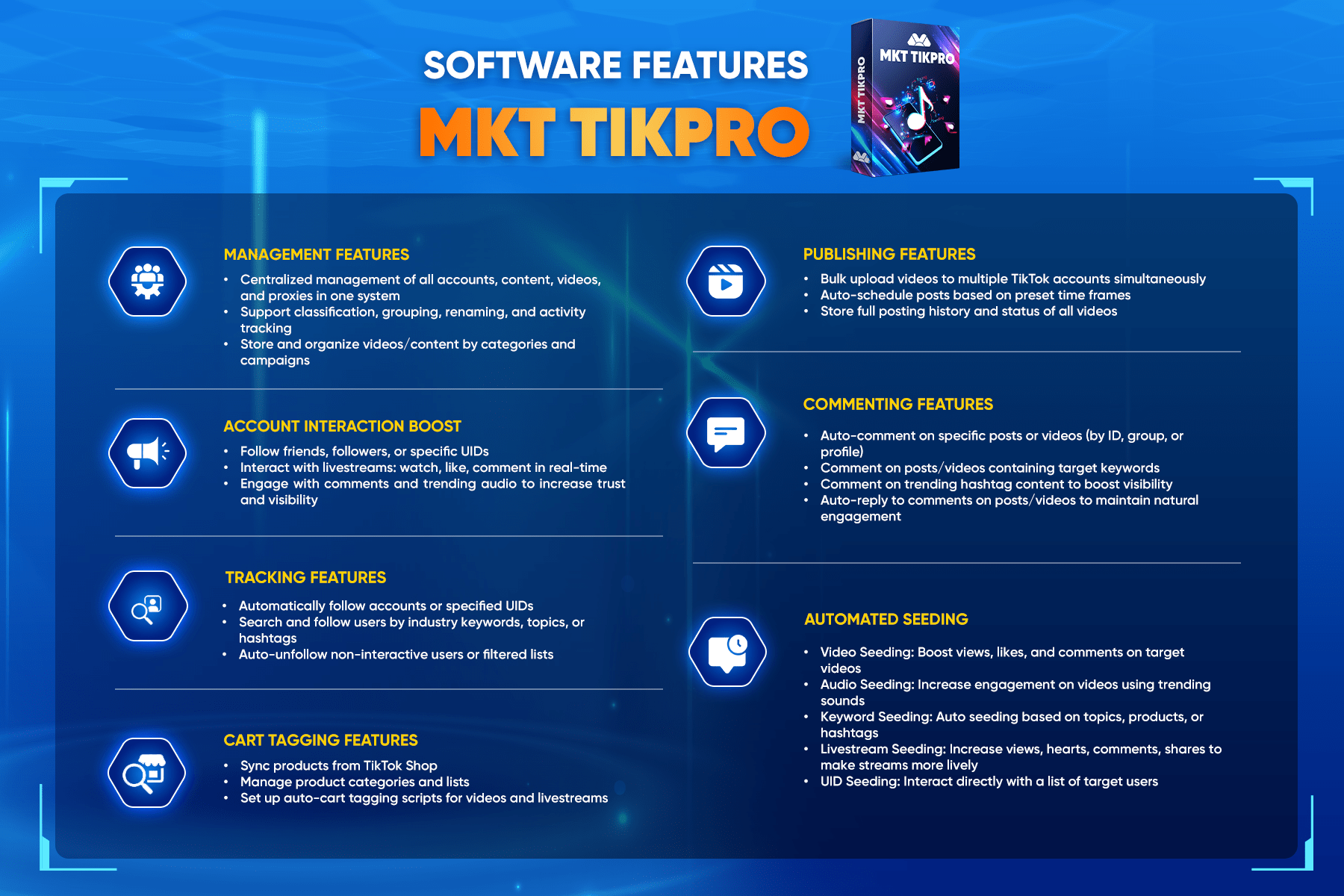
MKT TikPro is a software solution that supports auto comment live TikTok, developed to help businesses, marketers, and sellers automate livestream commenting. This helps increase engagement, retain viewers, and support real-time sales activities. Key features of MKT TikPro include:
2. Video guide on how to auto comment live TikTok using MKT TikPro
Watch the detailed tutorial video below on how to implement auto comment live TikTok with MKT TikPro to clearly understand each step, from setting up comment scripts to operating during livestream sessions, helping you apply quickly and minimize mistakes from the very first use.
SEE MORE:
- Discover bot auto comment TikTok increases views by 200%
- The Ultimate Trick for Safe 100% Auto Comment Livestream TikTok
V. Metrics to evaluate whether a TikTok livestream is effective
A livestream with many viewers does not necessarily deliver business effectiveness. To determine whether a TikTok Live session is truly successful, businesses need to analyze metrics that reflect engagement levels, viewer retention, and conversion ability. These metrics also serve as the basis for optimizing livestream scripts and auto comment live TikTok implementation.
- Average views and watch time: This metric indicates whether viewers stay long enough, reflecting content appeal and audience retention ability.
- Number and frequency of comments: Effective livestreams typically have continuous comment activity. The more frequent and consistent the comments, the higher the likelihood of broader distribution.
- Engagement rate per viewer: Beyond total comment numbers, it is essential to assess whether individual viewers actively engage, ensuring quality over quantity.
- Inbox messages, link clicks, or post-live actions: This is a critical metric for businesses. A successful livestream generates actions, not just views and comments.
- Conversion rate or lead generation during the live session: For sales livestreams, this is the clearest indicator of effectiveness. High engagement without conversions signals the need to optimize presentation flow and CTAs.
- Repeat viewer rate: Viewers returning for subsequent live sessions indicate genuine trust and interest in the brand, an essential factor for long-term growth.
VI. Lesser-known manual auto comment live TikTok tips
Not every business or seller needs to immediately use auto comment software. In practice, with proper organization and execution, you can manually create an auto comment live TikTok effect to boost engagement and maintain livestream momentum. Some simple yet highly effective manual tips include:
- Prepare comment scripts before going live: Draft responses for repetitive questions such as pricing, ordering, promotions, or delivery times to ensure fast and consistent replies.
- Assign one person to manage comment reading and replies: While the livestream host focuses on speaking and consulting, the support person handles comments, preventing missed interactions and maintaining engagement flow.
- Repeat key comments at fixed time intervals: Every few minutes, proactively comment important information such as product links or CTAs, ensuring late viewers can still grasp core details.
- Use secondary accounts to activate early interaction: A few opening comments from support accounts can make the live session appear more active, easing new viewers into participation.
- Ask questions to encourage proactive commenting: Simple prompts like “If you’re watching live, please leave a comment” or “Which model are you interested in?” help stimulate conversation.
Conclusion
Through this article, you have gained a structured understanding of how to implement auto comment live TikTok, from operational principles and real-world applications to important considerations for effective and risk-minimized use. When applied correctly, auto comment not only saves time but also increases engagement, enhances viewer experience, and supports revenue growth on TikTok Live.